Executive Summary and Business Value Matrix
n8n for business, in one sentence: n8n is a fair-code, self-hostable workflow automation platform that lets a company wire its forms, CRM, inbox, database, billing, and AI tools into one automated flow — without paying per task, without sending lead data through a third party, and without signing a contract that gets more expensive every time a workflow succeeds.
The platform itself is easy to describe and harder to appreciate. n8n (pronounced "nodemation") is a visual automation canvas where each workflow is a chain of nodes: a Webhook node catches a new lead from your website, a Filter node checks the budget field, a HubSpot node creates or updates the contact, a Slack node pings the sales channel, and an AI Agent node drafts the first reply using your own LLM key. Behind that canvas sits a TypeScript application with more than 400 native integrations, roughly 58,000 GitHub stars, and a licensing model that permits self-hosting with no usage meter of any kind. You can add a Code node anywhere in the chain when the built-in nodes are not enough — which means the workflow grows with the business instead of hitting a pricing wall.
For a management team, the value of putting n8n to work shows up in three ledgers at once:
- The software ledger. Automation tasks that today carry a per-execution fee move to a flat infrastructure line. On pickYour.app, n8n runs on the Boosted tier at $16.19 per month (1 vCPU, 2 GB RAM, 55 GB NVMe, 2 TB transfer) — cheaper than a single mid-tier Zapier seat, with no ceiling on executions.
- The labor ledger. The recurring "someone has to copy this into that" work disappears from the calendar. Composite mid-size deployments typically reclaim six to twelve hours per week across operations, marketing, and support staff — time currently spent on exports, re-keying, and status-chasing.
- The risk ledger. Lead records, invoices, and support transcripts stay inside infrastructure the company controls, in a region the company picks, with encrypted backups the company can restore. That is the difference between "our processor is certified" in a vendor questionnaire and "here is our restoration log."
- Run cost: $16.19/month (Boosted tier), flat; no per-task fees, no per-seat fees, unlimited workflow executions.
- Deployment time: 90 seconds from catalog click to a live, SSL-secured instance with auto-generated secrets.
- Typical SaaS line items replaced: $120–$300/month in automation, reporting, and glue-tool subscriptions — roughly $1,900–$3,600 per year at current list prices.
- Hours returned: an estimated 6–12 person-hours per week once the four workflows in Section 3 are live.
- Exit rights: one-click export of raw database dumps and docker-compose specifications. The data never belongs to the platform.
The matrix below summarizes where the operational impact lands inside a typical 20–150 person company. Figures are conservative estimates built from the scenario math in Section 3; your numbers will differ, but the shape of the table rarely does.
Business value matrix — where n8n touches the P&L
| Department | Daily bottleneck today | What n8n automates | Estimated monthly value |
|---|---|---|---|
| Operations | Manual report stitching from 4–6 tools into spreadsheets | Scheduled cross-platform aggregation and executive digests | 10–16 hrs of analyst time (~$600–$950) |
| Marketing | Lead routing rules trapped inside paid automation suites | Form → CRM → email sequence → Slack handoff with custom logic | Replaces $100–$250/mo in per-task tooling |
| Sales | Reps re-keying leads and forgetting follow-ups | CRM sync, enrichment, overdue-deal reminders, call notes to CRM | 5–8 hrs/rep/mo of selling time recovered |
| Support | Tier-1 triage done by reading every ticket by hand | AI-assisted classification, escalation routing, SLA timers | 15–25% faster first response on Tier-1 volume |
| Finance | Invoice and payment reconciliation across gateway and bank | Stripe/PayPal events → ledger updates → anomaly alerts | Days-close shortened; fewer missed dunning cycles |
| Leadership | Decisions waiting on "the numbers" that live in six dashboards | One 7:00 a.m. digest with the five metrics that matter | Faster decision cycles; no dashboard tourism |
Sections 2 through 8 answer the questions a decision-maker actually asks before signing off: what n8n is in business terms, which departments use it, when the switch is worth it, how the workflows look day to day, and what managed hosting changes about the risk and cost picture compared with a raw VPS.

The 5W1H Business Framework for n8n
Before any workflow gets built, the same six questions get asked about every tool that enters the stack. Here is the framework applied to n8n, with a matrix first for readers who scan and analysis for readers who sign.
5W1H at a glance
| W/H | The business answer |
|---|---|
| What | A self-hosted, visual workflow automation platform — the connective tissue between the company's SaaS tools, databases, and AI models. |
| Why | Per-task SaaS billing punishes success; data leaves the company perimeter; migration risk compounds yearly. n8n removes all three. |
| Who | Operations, marketing, sales, support, and product teams in companies of roughly 10–500 staff with at least one technically comfortable owner. |
| When | The month SaaS glue-tooling crosses ~$150/month, execution caps bite twice in a row, or a compliance review flags where lead data transits. |
| Where | Anywhere the company has a data-residency obligation or a latency reason — EU regions for GDPR, US regions for US client workloads. |
| How | One shared instance, environment-separated workflows, role-based credentials, and a weekly one-hour "automation review" ritual. |
What: n8n's role in the modern company tech stack
Most small-company stacks are not designed; they accrete. A form builder, a CRM, an email tool, a spreadsheet, a support desk, a billing gateway — each one excellent at its own job and silent about the others. The glue between them is either expensive (per-task automation SaaS), fragile (a Zap that breaks and nobody notices until a lead goes cold), or human (an intern copying rows on Fridays).
n8n occupies the glue layer as infrastructure the company owns. Workflows live on the company's own instance, credentials live in the company's own credential store, and execution history lives in the company's own database. It is best understood not as another subscription but as middleware with a drag-and-drop face: the same role an enterprise would give an integration bus, priced like a small server.
Three properties make it structurally different from the closed alternatives:
- Unlimited executions by design. Nothing about the commercial model changes when a workflow runs 40 times a day instead of four. Pricing is a function of compute, and compute is a flat line item on pickYour.app.
- Code where you want it, nodes where you don't. A marketing coordinator builds with nodes; a developer drops a Code node or a full JavaScript function into the same workflow when business logic gets specific. One tool spans the no-code and low-code constituencies instead of forcing two vendors.
- Runs next to your data. The same instance can talk to an internal Postgres, an in-house Git server, or a private file share — something cloud-only automation platforms cannot do without brittle private networking.
Why: replacing expensive closed SaaS with n8n
The financial case deserves blunt arithmetic rather than slogans. Consider a four-person marketing operations group running a typical glue stack:
| Tool it replaces | Common list price | Annual cost | What breaks at scale |
|---|---|---|---|
| Zapier Professional (2,000 tasks/mo) | ~$49/mo per workflow owner | ~$588 | Task ceiling; every successful campaign consumes budget |
| Make Pro (≈10k ops/mo) | ~$16–$29/mo | ~$192–$348 | Operation bundles; scenario concurrency limits |
| Airtable Pro (reporting base) | ~$20/mo per seat × 4 | ~$960 | Per-seat math grows linearly with headcount |
| HubSpot Starter seats (sales assist) | ~$15–$20/mo per seat × 3 | ~$540–$720 | Upgrade paths that jump five figures at the next tier |
| "Zap health" babysitting | 2 hrs/mo of ops time | ~$480 of labor | Undetected failures until a customer complains |
| Combined | ~$2,760–$3,096/yr |
The same four workflows — lead routing, campaign reporting, CRM hygiene, deal-desk alerts — run on a single n8n instance at $16.19/month, or about $194/year, plus whatever engineering hours the initial build takes (typically an afternoon for a coordinator and a developer working together). The delta is not subtle: four figures a year against one, with no line item that grows when a campaign goes well. That is what "SaaS cost reduction with n8n" looks like on an actual invoice — not a discount, but a category change from opex-per-seat to a flat infrastructure line.
Money, however, is the reason people start the evaluation. These are the reasons they finish it:
- Data sovereignty and GDPR posture. When the automation layer itself moves personal data — names, emails, behavior scores — it becomes part of your processing footprint. Self-hosted n8n keeps that processing inside your chosen region: Frankfurt for EU customer data, New York for US workloads, Singapore or London as the workload dictates. There is no third-country transfer question about a processor you do not use, and your Article 30 record gets simpler, not more complicated.
- Zero vendor lock-in, structurally. Workflows export as JSON; the database dumps as SQL; the whole instance ships as a docker-compose specification. If n8n stopped being maintained tomorrow, the company would still hold a working, inspectable system — the opposite of a closed SaaS tenant where leaving means rebuilding every integration by hand.
- No usage-based guilt. The marginal task costs nothing, so teams instrument more, retry more, and schedule more (hourly syncs instead of nightly ones) because nothing on the invoice discourages it.
- Failure visibility. Workflows have error branches, execution logs, and alerting that report to your own Slack. In closed platforms, silent failure behind a shared tenancy model is a property of their architecture, not an accident.
Who: departmental use cases and honest anti-personas
Operations is the natural home department: cross-tool reconciliation, inventory and order sync, weekly KPI assembly, vendor onboarding checklists. Marketing runs campaign reporting, lead capture and routing, content repurposing pipelines, and audience syncs between the website, the CRM, and email tooling. Sales gets CRM synchronization, lead enrichment, overdue-deal nudges, and call-note ingestion. Support wires ticket classification, SLA timers, escalation trees, and AI-assisted first drafts. Product listens to feedback sources (NPS responses, chat threads, app-store reviews), clusters them, and pushes summaries into the sprint board.
Just as important is who should not standardize on n8n. The anti-personas are real:
- Teams under roughly ten people with simple needs. If one person's two Zaps fit inside a free tier comfortably, the migration project costs more than it saves. Buy the SaaS, keep the cash.
- Companies with nobody willing to own the instance. Someone must own upgrades, backup verification, and credential rotation. On pickYour.app the platform carries day-2 operations (Section 4), but the workflows still need an internal champion. No champion, no automation culture — the tool will not create one.
- Purely non-technical organizations mid-evaluation. n8n's canvas is genuinely accessible, but the first week involves webhook URLs and JSON fields. If no one on staff will ever be comfortable pasting a JSON payload, the honest recommendation is a managed workflow SaaS.
- Buyers who need a bundled suite, not glue. n8n connects CRM systems; it is not a CRM. Companies shopping for an all-in-one customer suite with support ticketing, email marketing, and CMS in one login should evaluate suite vendors on their merits — then use n8n to connect whatever they choose to everything else.
When: the organizational triggers
The switch rarely comes from a single event. These are the observable triggers that show up in practice:
- The glue-tool bill crosses ~$150/month and keeps climbing with every new workflow — usually visible as a finance question ("why is automation 4% of software spend?") rather than a technical one.
- Execution caps bite twice in a row. The second consecutive month of hitting task limits, mid-campaign, is the clearest signal: the pricing model now taxes success.
- A security or privacy review asks where lead data transits, and the answer includes three automation vendors with sub-processors listed in an appendix nobody has read.
- A client contract demands data residency or a DPA that the incumbent automation vendor cannot sign on acceptable terms — common for agencies handling regulated client data.
- An incident creates the mandate. A broken Zap silently drops 300 form submissions; the postmortem concludes the glue layer needs ownership, logs, and retry logic. All three come standard when the glue is yours.
Where: data residency and regional deployment
pickYour.app runs the catalog across regions including New York, Frankfurt, London, and Singapore, which turns "Where should our automations live?" into a one-line business rule: personal data of EU customers → Frankfurt; US client workloads → New York; APAC-facing ops → Singapore. An international company can run two instances — one per residency class — and keep workflow logic exported from a single source of truth. The practical test is your own data map: put every field the workflows touch in a column, mark which ones are personal data under GDPR, and the hosting region answers itself.
How: daily operational integration
The tool only pays off when it becomes part of the week rather than a project that shipped. A working rhythm looks like this:
- Daily (5 minutes): the on-call owner glances at the n8n execution list over coffee; failed executions surface as a red row, and error branches have already alerted the responsible channel.
- When building: a coordinator drafts a workflow in a staging folder with test credentials, walks it through one real record, then promotes it — credentials live in shared, permissioned stores rather than pasted in chat.
- Weekly (1 hour): the automation review. Which workflows ran, which failed, what new repetitive task showed up this week, and which one gets automated next. This meeting is the actual product; n8n is just what the meeting operates.
- Monthly: an export of critical workflow JSON goes into version control, and a restore drill confirms the backup story from Section 6 is not theoretical.
Daily Workflow Transformations and Real-World Use Cases
This is where n8n workflow automation stops being an abstraction, because abstractions do not get approved — replacements do. Four n8n business use cases follow, and together they are the direct answer to how n8n improves productivity: each one names the manual process it replaces, the node chain that does the work, and the arithmetic of what changes. Names and companies are composite; the hours and failure modes are not.
Scenario A: automated lead nurturing and CRM synchronization
A 35-person B2B agency runs web forms, LinkedIn lead-gen forms, and webinar sign-ups into three different destinations today: a shared inbox, a spreadsheet, and — eventually, when someone remembers — the CRM. The "eventually" is where revenue leaks. Industry-standard follow-up research keeps landing on the same finding: contacting a lead within minutes versus an hour roughly doubles qualification odds, and a meaningful share of inbound forms are never entered into the CRM at all.
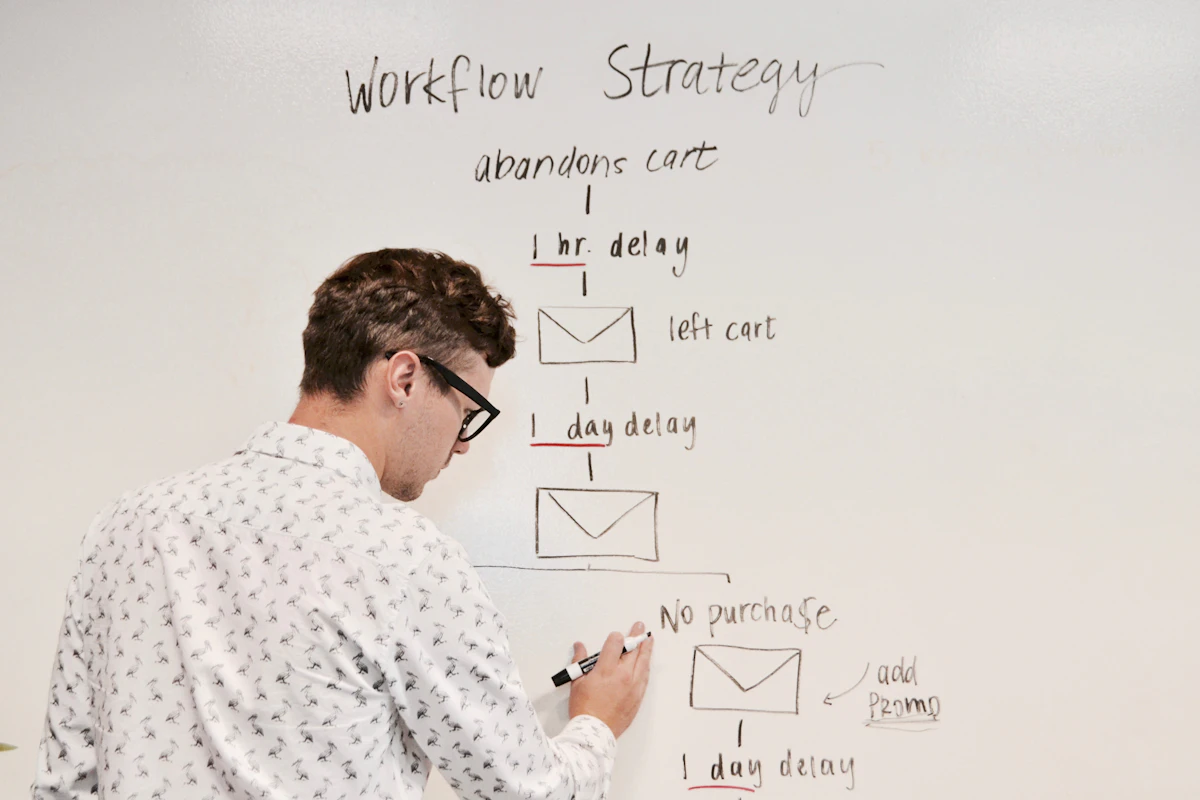
The workflow, as nodes: Webhook catches the submission → an IF node checks service interest and budget band → a HubSpot upsert creates or updates the contact and marks the source → a Slack message lands in #new-leads with the top three fields visible → an AI Agent node drafts a personalized opener using the prospect's industry and stated problem → the draft waits in an approval step → an email node sends it → a Wait node schedules a three-day follow-up unless a reply webhook fires first. Nine nodes, one afternoon to build, zero marginal cost per execution.
| Dimension | Before (manual) | After (n8n) |
|---|---|---|
| Speed of first touch | 2 hours–2 days, whoever is free | Under 5 minutes, draft awaiting one click of approval |
| CRM completeness | ~70–80% of leads eventually entered | 100% upserted, deduplicated on email |
| Failure mode | Lost form, forgotten follow-up, double-contacted prospect | Logged execution, error branch, idempotent upserts |
| Cost of the process | 6–8 hrs/week of coordinator time + per-task SaaS fees | $0 marginal + shared instance already paid for |
Quantified: six hours a week of coordination work goes to roughly two hours a month of workflow maintenance. At a loaded coordinator rate near $35/hour, the labor delta is on the order of $250/month, plus the $100–$250/month in per-execution tooling the chain replaces — and the pipeline effect of faster follow-up sits on top of that, uncounted.

Scenario B: cross-platform data aggregation and automated executive reporting
Monday morning, 8:00 a.m.: an analyst opens five browser tabs, exports three CSVs, reconciles two definitions of "active customer," and rebuilds the same deck that existed last Monday. Multiply by forty-plus Mondays a year and you have a salaried employee whose highest-value skill is copy-paste — plus a second-order cost nobody books: leadership decisions queue behind the data.
The workflow, as nodes: a Schedule Trigger fires at 6:45 a.m. Monday → HTTP Request nodes pull revenue from the billing gateway, sign-ups from the product database, ad spend from the ad platform API, and ticket volume from the support desk → a Code node normalizes date ranges and applies the agreed metric definitions once, in one place → a Postgres node writes the snapshot into a reporting table (history, not just "current") → an AI node writes a three-sentence summary highlighting deltas beyond two standard deviations → an email/Slack node delivers the digest at 7:00 a.m. with a link to the live drill-down.
| Dimension | Before (manual) | After (n8n) |
|---|---|---|
| Report latency | Data is 1–7 days stale when discussed | Data is 15 minutes old at delivery |
| Analyst time | 3–4 hrs/week stitching and formatting | ~15 min/week reviewing the exception flags |
| Metric consistency | Each tab uses its own date/timezone convention | Definitions compiled once in the Code node |
| Failure mode | "Which number is right?" meetings | Snapshot table with full run history |
Quantified: three and a half hours a week returned, about $600/month of analyst capacity at a $45/hour loaded rate — and the reporting table becomes an asset (two years of weekly snapshots) instead of an artifact that dies in someone's Downloads folder.

Scenario C: AI agent integration and customer support escalation
A 12-person e-commerce operation receives 60–90 tickets a day: where-is-my-order, return eligibility, sizing questions, and a minority that genuinely need a human. The current triage is one person reading everything as it arrives, which works until lunchtime rush, launch day, or vacation week. The goal is not to replace judgment — it is to stop spending judgment on classification.
The workflow, as nodes: a webhook from the help desk receives every new ticket → a Code node normalizes the payload and pulls order data from the store API → an AI Agent node (running on the company's own model key, with the prompt stored in the workflow itself) classifies intent, urgency, and sentiment, and drafts a reply with order status inlined → an IF/Switch node routes: refund requests over the policy threshold to a human with the draft attached, password and shipping questions to auto-send with one-click undo, angry or churn-risk tickets to the priority queue with an SLA timer → a Postgres node logs every classification for quality review → a weekly aggregate workflow samples 25 conversations and emails a spot-check report to the support lead.
| Dimension | Before (manual) | After (n8n) |
|---|---|---|
| Tier-1 handling | Every ticket read top to bottom | 55–70% drafted or resolved before a human opens them |
| First response | 3–8 hours in busy periods | Minutes for drafted replies; priority queue rises to the top |
| Escalation quality | Depends on who noticed what | Explicit policy thresholds, logged and auditable |
| AI governance | Shadow AI in browser tabs | Model key, prompt, and approval rules live in versioned workflow JSON |
Quantified: support lead reports typically show 15–25% of Tier-1 hours freed — for this example, roughly 10 hours a week, worth about $1,600/month at a $40/hour loaded rate — while the escalation thresholds keep humans on every decision that carries money or policy risk. Note where the AI sits: inside the company's own instance, on tickets that contain customer personal data, which is exactly the traffic you did not want routed through yet another processor.

Scenario D: internal operational alerts and incident handling
Not every workflow faces the customer. The quiet ones — the internal watchdogs — are often where open-source automation earns its keep fastest, because the alternative here is usually Nagios-in-a-closet or, more commonly, nothing until a client notices first.
The workflow, as nodes: a Schedule Trigger polls the status endpoints of the storefront, the booking API, and the CDN every two minutes → an HTTP Request hits each one with a timeout → an IF node compares status codes and latency against agreed thresholds → on breach, a Switch node fans out: PagerDuty/SMS to the on-call engineer, a thread in #incidents with the raw payload attached, and a row in an incident log table → a Wait node re-probes after five minutes; recovery posts a resolution message with total downtime → a monthly workflow totals uptime per service and appends it to the vendor scorecard.
| Dimension | Before (manual/absent) | After (n8n) |
|---|---|---|
| Detection | Customer tweet, or a monthly manual check | 2-minute polling, threshold-based alerting |
| Mean time to acknowledge | 30–120 minutes (business hours) | Under 5 minutes, any hour |
| Record keeping | Memory and chat scrollback | Incident table with timestamps and downtime math |
| Cost of the capability | $0–$80/mo monitoring SaaS, seat-based | Runs on the same shared instance |
Quantified: the monitoring SaaS line item disappears (roughly $50–$80/month at small-team list prices), but the real return is one avoided escalation: a single after-hours outage caught in four minutes instead of ninety minutes regularly justifies the entire instance for a year. Across the four scenarios, a conservative composite lands near $2,500–$3,500 per month in reclaimed labor, retired subscriptions, and avoided slippage — against $16.19 per month of infrastructure.
Implementation Dynamics: Raw Unmanaged VPS vs. the pickYour.app Managed Platform
Here the conversation stops being about software and starts being about risk, team velocity, and who gets paged at 3 a.m. The open-source license removes the software bill; it does not remove the operational obligation. A raw VPS with docker compose up on it is genuinely an option — a viable one for a company with idle engineering capacity. It is not the same option as a managed platform, and the difference is measurable across the business parameters that show up in board decks.

Line-by-line comparison
| # | Business parameter | Raw unmanaged VPS (self-managed) | pickYour.app managed platform |
|---|---|---|---|
| 1 | Time-to-market / deployment speed | 2–6 hours first time (OS hardening, Docker, TLS, DNS, env files); a day if anything surprises you | ~90 seconds from catalog pick to live, SSL-secured instance |
| 2 | Internal IT / DevOps overhead | Ongoing: patching, TLS renewal, log rotation, failed-container restarts — realistically 3–6 hrs/month forever | Platform-owned; customer touches a control panel, not a terminal |
| 3 | Business continuity & downtime risk | Downtime lasts until someone notices and acts; no automatic remediation | Auto-healing restarts unhealthy containers; health-gated deployments |
| 4 | Data protection & disaster recovery | Backups only if someone scheduled them — and they are untested until the day they matter | Encrypted offsite backups on a schedule, restorable from the panel |
| 5 | Security & regulatory compliance | TLS, firewall rules, and OS hardening are your homework; gaps are also yours | SSL on by default, isolated per-instance networking, EU regions for GDPR workloads |
| 6 | Predictability of operational expenditure | Cheap line item, expensive shadow cost: internal hours vary with incidents | One flat monthly figure (e.g., $16.19 Boosted); capacity tiers published in advance |
| 7 | Team accessibility & self-service onboarding | Requires SSH-capable staff; every new teammate is a security decision | Workspace roles: a manager launches and invites; no shell access needed |
| 8 | Maintenance & upgrade friction | Major version upgrades are projects: read changelogs, migrate data, hope | Roll forward from the panel; platform absorbs dependency and image updates |
| 9 | Vendor independence & data portability | Total by definition — you hold the disk | 1-click export of raw database dumps + docker-compose spec; same exit rights, minus the upkeep |
| 10 | Security patch latency | Equal to your reaction time (days–weeks for most teams) | Platform-level; known CVEs are absorbed in image rebuilds |
| 11 | Total cost of ownership, 12 months | $72–$150 VPS fees + 40–70 internal hours ($3,000–$6,500 at $80–$95/hr loaded) + incident exposure | ~$194/yr (Boosted) + ~2 hrs one-time setup; scales to Pro Stack $32.38/mo when the workload does |
The pattern in that table is worth stating plainly: a raw VPS wins every line that measures server cost and loses every line that measures human cost. Whether that trade is sensible depends entirely on what an hour of your team's time is worth — and here the arithmetic turns against the cheap option fast.
Consider what "just run it on a VPS" actually schedules. Someone reads the n8n upgrade notes instead of shipping their quarterly work. Someone's calendar holds a recurring task for TLS renewal that quietly expires when that person changes roles. A container goes into a restart loop at 11 p.m. on a Sunday; the workflow that syncs 400 overnight orders simply does not run, and the first signal is a support queue on Monday morning. Each of these events is survivable. The cumulative meter — call it four to six hours a month of genuinely skilled attention — runs $4,000–$7,000 a year at conservative fully-loaded engineering rates, against a VPS bill under $150. The open-source software was supposed to cut a five-figure annual cost; the undiscoped DevOps tail quietly hands most of it back.
The textbook response is "hire a DevOps engineer." For a company of the size that reads this article, that response does not survive contact with a payroll: a qualified engineer runs $110,000–$140,000 fully loaded in the US market, and a part-time internal arrangement (0.25 FTE of genuine reliability work across the stack) still lands at $30,000–$40,000 a year. No one is staffing that to keep one automation instance and two side applications alive — and so the role decays into "whoever is technical," which is not a role at all. It is an unpaid obligation attached to the least-segmented person on the team.
The cheapest server in the world is still a bargain against the most expensive unspoken obligation: someone's unpaid after-hours attention.
This is the argument pickYour.app actually makes: SaaS convenience with open-source economics. The convenience line items are the ones a business feels — 90-second launch, a panel instead of a shell, automatic healing, encrypted backups, SSL, published regions for compliance, and a support surface when something breaks. The economics line items are the ones finance feels — flat published pricing ($6.76 Base Tier, $16.19 Boosted, $32.38 Pro Stack, with pay-as-you-go at $0.013/compute-hour for burst workloads), no per-execution fees, no per-seat multipliers, and no renewal cliff where usage suddenly repriced. Closed SaaS gives you the first list and charges rent on it forever; raw VPS gives you the second list and bills it in interruptions. Managed open-source for SMEs, agencies, and high-growth teams is where that middle actually works — provided the platform carries real operational weight rather than a logo on someone else's VPS. The parameters above are the scorecard to test that claim with: ask any hosting provider the same eleven rows and compare answers, not taglines.
Step-by-Step Onboarding for Non-Technical Teams
The following sequence assumes the person driving it is an operations manager, not an engineer. No terminal, no config files, no YAML.
- Pick n8n from the catalog (≈15 seconds). Open the app catalog, choose n8n (58k stars, 12.4k installs on the platform, verified listing). The resource footprint is pre-computed for this image — 1 vCPU / 2 GB RAM — so there is no sizing questionnaire to agonize over.
- Choose the plan (≈15 seconds). Boosted at $16.19/month fits a single production n8n instance with room for a staging pair. Start on Base Tier ($6.76) only for a light prototype; move to Pro Stack ($32.38) when execution volume and concurrent webhooks make the 2 GB ceiling visible. Pay-as-you-go ($0.013/compute-hour, $0.005/GB-RAM-hour) is the option for unpredictable burst loads.
- Choose the compliance region (≈10 seconds). Frankfurt for EU personal data, New York for US workloads, London or Singapore as the map requires. This is a dropdown, not a migration project — and it is the single most consequential click in a GDPR review.
- Launch (≈90 seconds). Confirm, deploy, and the instance comes up behind SSL with generated secrets. The n8n canvas loads at a real domain; the first workflow can be built the same coffee break.
- Assign workspace roles (≈1 minute). Invite the workflow owner as an admin, department coordinators as members, and finance/leadership as view-only. Role boundaries mean a marketing lead can build flows without ever seeing infrastructure credentials.
- Connect the business domain (≈1 minute). Attach your own domain (flows.yourcompany.com) from the panel — TLS provisions automatically — so every webhook and share link carries the company's identity rather than a platform URL.
Day-2 is where managed platforms earn the word "managed." Automated encrypted offsite backups run on schedule without anyone remembering to write the cron; auto-healing restarts a wedged container before a human would have seen the alert; health-gated upgrades mean a bad release never becomes a customer-facing outage; and the panel shows status, resource use, and restore points to a manager, not just to an engineer. The business requirement behind all three is identical: a workflow that silently stops running is not a technical inconvenience — it is an unanswered lead, an unshipped order, an unclosed alert. Backup and healing exist to make sure that failure mode stays theoretical.
Data Sovereignty, Freedom, and the Exit Strategy (Zero Lock-In)
Owning your operational data is a competitive advantage for a mundane, durable reason: negotiating power in every renewal comes from having alternatives. A company whose lead history, execution logs, and customer transcripts live inside someone else's tenant can be repriced, downgraded, or discontinued — and must comply, because rebuilding five years of automation elsewhere without the exports is not realistic. A company holding its own database dumps can move at will. Vendors behave accordingly.
n8n inverts the usual cloud-tenancy posture from the first day:
- Workflows are files. Every workflow exports as JSON — readable, diffable, reviewable. Put them in a git repository, review changes in pull requests, and treat business logic like the asset it is.
- State is a database you can dump. Credentials metadata, execution history, and project structure live in the instance's own Postgres/SQLite, extractable as a standard SQL dump at any time.
- The runtime is portable. The instance is a container with a compose file; anywhere a container runs, your n8n stack runs — your own office server, a different cloud, an air-gapped machine for regulated work.
The 1-click export guide (what to actually press, and what to verify):
- From the instance panel, trigger Export — you receive the raw database dump plus the docker-compose specification with environment variables documented, in one archive.
- Download your workflows from inside n8n (Settings → Export all workflows) as JSON, into version control.
- Download credentials inventory (names, scopes — not the secrets themselves, which you already hold) for your access register.
- Run the exit drill once a quarter: restore the dump into a scratch environment, start the compose stack, open the canvas, execute one workflow against test data. Ninety minutes of work; it converts the export feature from a marketing line into a verified capability.
An exit you have rehearsed is what turns "vendor independence" from a slogan into a fact — and, counterintuitively, a platform that you know you can leave is the one you stay with comfortably. Managed convenience and full data ownership are not a trade-off on pickYour.app; the export path is the reason the platform can be honest about the convenience.
Frequently Asked Questions for Business Decision-Makers
What is the realistic n8n open source ROI for a small business, and how fast does it appear?
Most teams see the first quantified return inside two to four weeks, because the first workflow built is almost always one someone was doing by hand — the Monday report or the lead handoff (Section 3). A working rule from composite deployments: month one retires one manual process and one subscription; months two and three add departmental workflows once the owner has built a few. Against ~$194/year of Boosted-tier hosting, a single retired $100–$250/month SaaS line already pays the bill several times over; the labor hours are the larger half of the return.
How long does team training actually take?
Node-based building clicks for anyone who has made a slide deck: drag, connect, configure fields. The honest onboarding curve is less about the tool and more about the payload — webhook URLs, JSON keys, API tokens. Teams report productive first builds within a day and comfortable independent building within a week of the weekly automation review becoming a habit. The developer who joins later goes further with Code nodes and custom functions; nobody is blocked waiting for them.
Is self-hosted n8n compliant for GDPR workloads?
Self-hosting removes the biggest structural objection: your personal data is processed by infrastructure you operate, in the region you selected, under your own DPA chain — no sub-processor sprawl in the automation layer. What remains yours: choosing the EU region, configuring retention (execution logs can be limited), signing a DPA with the hosting provider as processor, and keeping your Article 30 records current. The checklist is shorter than for any closed automation SaaS because one whole category of data transfer disappears.
What happens if the server fails — are backups real?
Encrypted offsite backups run on a platform schedule and are restorable from the panel; auto-healing restarts failed containers without human involvement, which covers the far more common "container wedged" case. The discipline worth adding on your side: the quarterly restore drill from Section 6. A backup is a claim; a restore you have personally performed is a fact.
Does n8n slow down or become expensive as usage scales?
Compute scales with the workload, not with the invoice's imagination: stay on Boosted while the instance fits it, move to Pro Stack ($32.38/month, 2 vCPU / 4 GB) when concurrent executions and webhooks grow, and let pay-as-you-go absorb bursts. Nothing about the pricing changes when a workflow runs 100 times a day instead of 10 — there is no per-task meter and no per-seat multiplier to renegotiate at renewal.
Can we migrate our existing Zaps or Make scenarios?
The integration endpoints — your CRM, forms, email tool, databases — carry over unchanged, because those are your accounts, not the vendor's. The flow logic itself gets rebuilt rather than imported: budget an afternoon per complex scenario, which is also the moment most teams discover the undocumented Zaps nobody understood. Rebuilding forces documentation, and documentation is the second gift of the migration.
What if we outgrow the managed platform and want full self-hosting?
Export everything (Section 6): database dump, compose spec, workflow JSON. The stack runs on any Docker host you control. This path is real, tested, and yours — the platform's retention argument has to be service quality, not captivity.
Who should own n8n inside the company?
Name one accountable owner on day one — usually the operations manager — responsible for the weekly automation review, credential hygiene, and the backup drill. Developers consult and build the hard nodes; department coordinators maintain their flows; leadership reads the digest. Ownership, not licensing, is the variable that predicts whether an automation platform is still running well in year two — and more field guides like this one live in the pickyYour.app business publication hub.